How to Restore Military and Veteran Portraits
A service photo that was folded into a wallet and carried for years deserves careful repair. OldtoLife smooths the creases and fading while keeping every stripe, medal, and face true to the original.
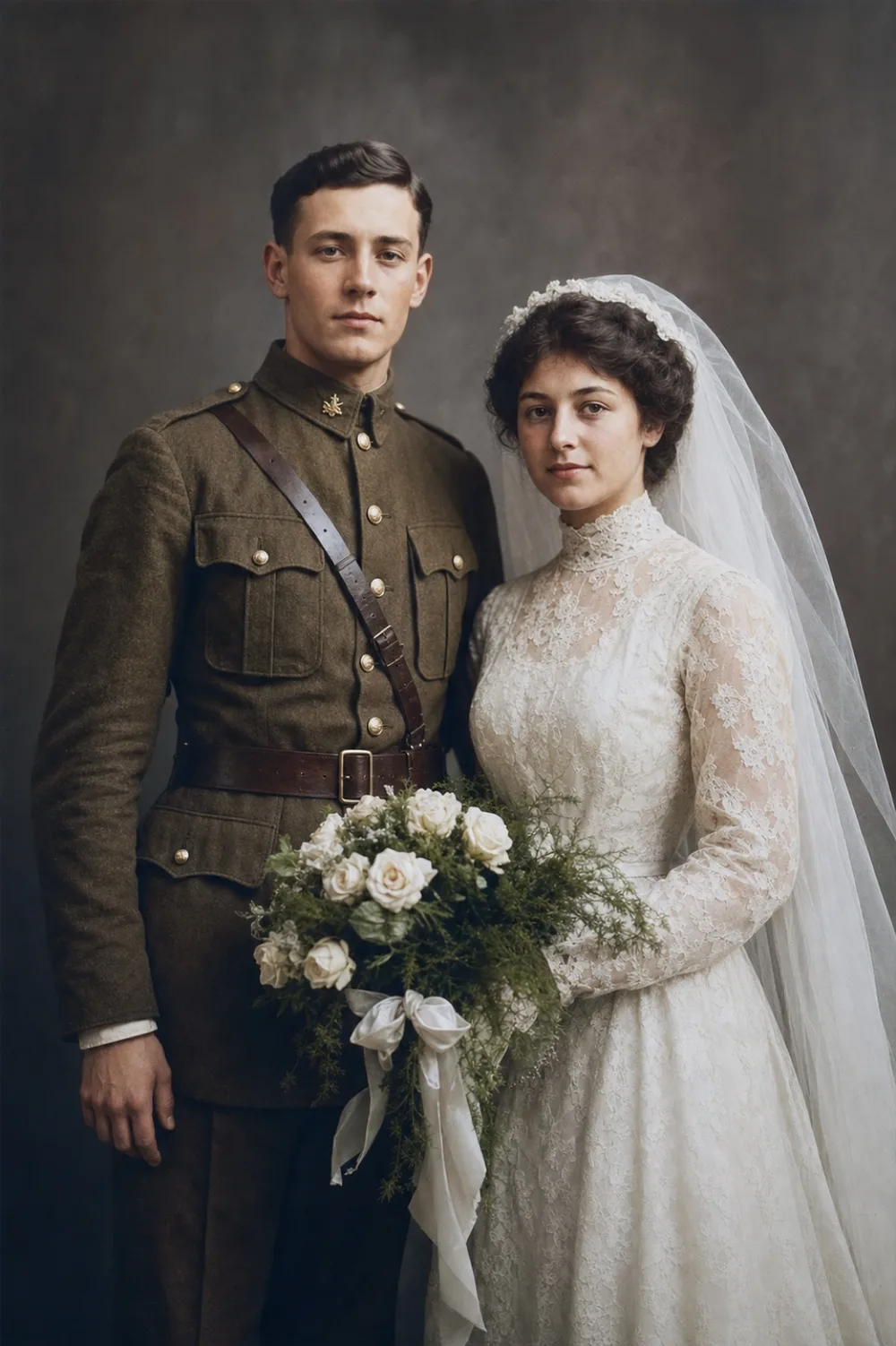
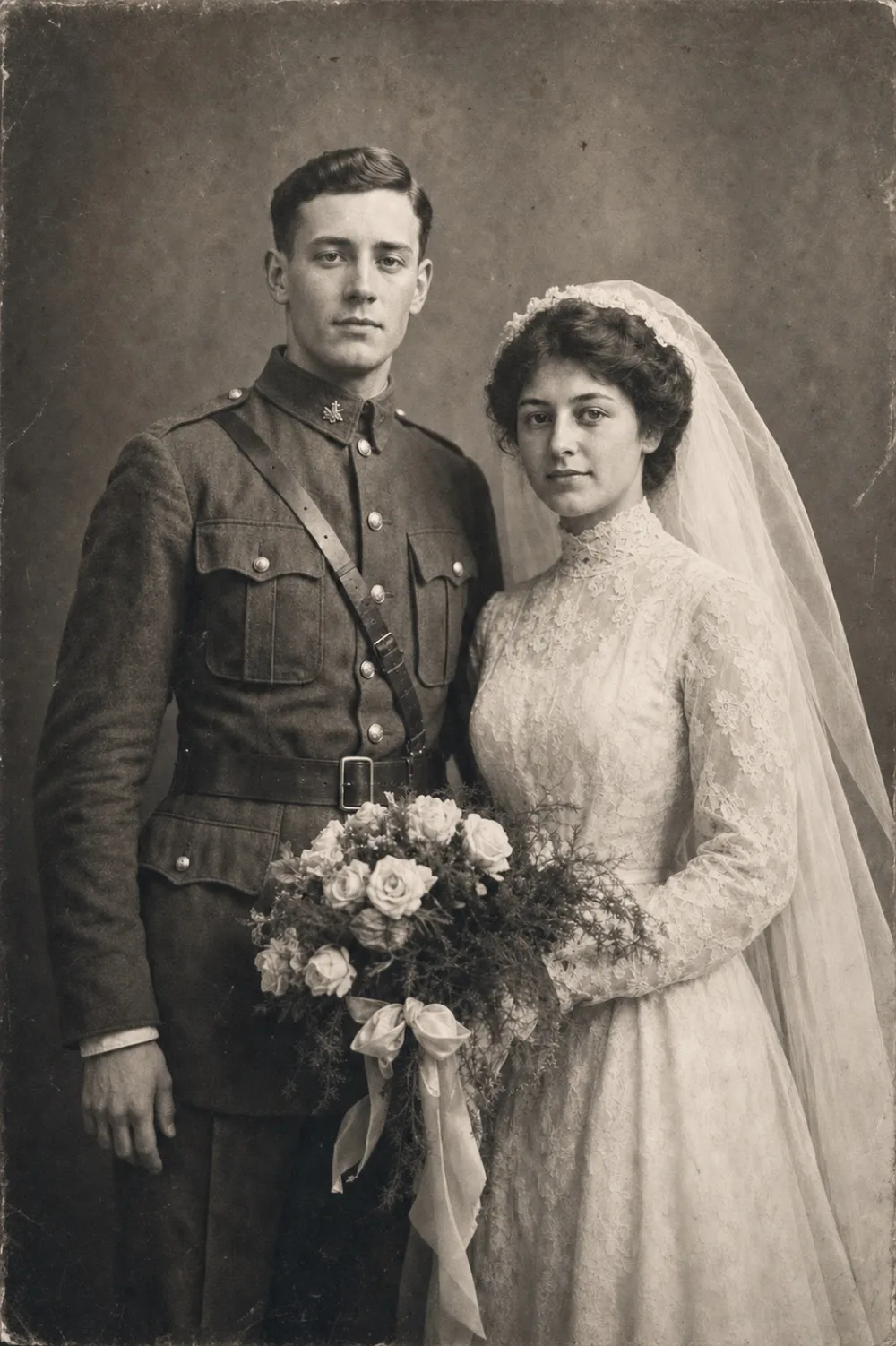
Drag to compare before & after
Restoring a military or veteran portrait means repairing the physical wear a service photo picked up over the decades – deep pocket creases, sepia fading, torn corners – without changing the uniform, insignia, or the person underneath. These photos were often carried, mailed, and handled far more than an ordinary family snapshot, so the damage tends to run in specific patterns: a crease straight across the chest where it sat folded in a shirt pocket, a ring-shaped water stain from a footlocker, tape residue from being mounted in a shadow box next to a set of medals.
Most veteran portraits fall into a few familiar categories: a black-and-white or sepia studio photo taken just before deployment, a snapshot from boot camp or overseas, or a formal portrait later used for a retirement, a funeral program, or a headstone. Each needs a slightly different pass – some just need cleaning and sharpening, others need natural color added, and a few need whole sections rebuilt where the print tore or the emulsion lifted off the paper.
Why service photos wear down differently
A military portrait rarely stayed in an album. It went into a breast pocket for a deployment, got mailed home in an envelope, or sat in a footlocker through years of humid barracks and basements. That handling leaves a specific fingerprint: horizontal and diagonal creases where the print was folded to fit a wallet or pocket, soft rounding at the corners from being pulled in and out, and a general dulling of contrast from repeated sunlight exposure on a nightstand or mantel.
Because these portraits are often the only image left of someone – a grandfather before he shipped out, a great-uncle who didn't come home – they also tend to get re-photocopied, re-photographed, and re-scanned by different family members over the years. Each generation of copying adds a little more softness and contrast loss, which is why the version that reaches you today is often several steps removed from the original print.
Repairing the damage specific to a uniform portrait
The physical damage on a service photo tends to cluster around the same areas: the chest and shoulders, where fold lines cross directly through insignia and shoulder boards, and the edges, where handling wears the print down fastest. Restore is built to remove exactly this kind of wear – creases, scratches, stains, and tape marks – while leaving the structure of the uniform, cap, and rank details in place.
Because uniforms carry fine detail – piping on a collar, the stitching on a patch, the numbers on a service ribbon – it helps to start with the clearest copy of the photo you have. A first-generation print or a well-focused scan preserves more of that detail for the AI to work with than a photo of a photo taken at an angle.
- Crease lines running through the collar, shoulder boards, or medals
- Ring-shaped water stains from footlockers, basements, or attics
- A yellow or sepia cast that flattens uniform and skin detail
- Scratches or scuffs across the face or cap brim
- Missing corners or torn edges from years of handling
- Tape or glue residue from being mounted in an old album or frame
Colorizing a uniform portrait with care
A black-and-white or sepia photo of someone in uniform can be hard to connect with emotionally – the flat tones distance the person from how they actually looked. Colorize adds natural, period-appropriate color to skin, uniform fabric, and background, which often makes a portrait feel present in a way the original grayscale print doesn't.
It's worth knowing the limits here: the AI infers plausible color from the tones and shading already in the photo, not from a military regulation chart. For most family use – a portrait on the wall, a photo shared at a reunion – that's more than enough. If you need the exact shade of a branch's dress uniform or a specific ribbon color for something like a ceremonial display, it's worth cross-checking the result against a family member's memory or a unit history before treating it as historically precise.
When a portrait needs to be rebuilt, not just cleaned
Some military photos survived worse than creases and fading – a print torn in half and taped back together, a corner missing where a face or cap used to be, water damage from a flood or a fire that ate through part of the image. Recreate is built for this level of damage: it rebuilds the missing structure of a face, uniform, or background using what's still visible in the rest of the photo.
This tends to matter most for older or overseas service photos, which traveled further and survived rougher conditions than a photo that stayed in a family home. A portrait that's missing a third of the image is usually beyond what cleanup alone can fix, but it's often still recoverable if enough of the original detail remains around the damaged area.
What people restore these portraits for
A restored veteran portrait usually has a specific destination: framed next to a folded flag and a set of medals, printed for a funeral or memorial program, displayed at a retirement ceremony, or shared at a reunion with people who served alongside them. Some families restore a portrait to go with a headstone photo, or to finally put a clear face to a name in a genealogy record that until now only had a name and a date.
None of that requires anything more than a clean, accurate repair of the photo that already exists – the goal is to make the portrait legible and presentable again, not to change who's in it or how they looked.
Step by step
- 1
Photograph or scan the original print
Lay the portrait flat under even light, avoid glare on glossy prints, and get as close to straight-on as you can.
- 2
Run Restore first
Remove creases, tears, stains, and tape marks while keeping the uniform, insignia, and face intact.
- 3
Colorize if it's black-and-white or sepia
Add natural, period-appropriate color to the uniform, skin, and background.
- 4
Use Recreate for missing sections
If a corner is torn off or part of the photo is destroyed, rebuild it using the surrounding detail that survived.
- 5
Compare, save, and share
Check the result against the original with the before/after slider, then save the high-resolution version or share it with family.
Common questions
Can OldtoLife get the exact color of a uniform right?
It generates a plausible, period-appropriate color based on the tones already in the photo, not from a military regulation chart, so for ceremonial precision like an exact braid or ribbon color, it's worth checking the result against a family member's memory or a unit history.
Will restoring the photo damage the original print?
No. You photograph or scan the print and every edit happens on that digital copy – the physical photograph itself is never touched.
What if the portrait is torn in half or missing a corner?
Use Recreate, which rebuilds the missing structure – face, uniform, or background – based on what's still visible in the rest of the photo.
Can I restore a photo that's still in a frame or display case?
Yes, a photo taken of the print through glass often works, though removing it or shooting straight-on without glare will give a cleaner starting point.
Is it appropriate to restore a portrait of a family member who has passed?
Yes. Many people restore a veteran's portrait for a memorial service, a headstone photo, or to display alongside their medals – the process only repairs the existing photo, nothing more.
How long does the restoration take?
Each tool – Restore, Colorize, or Recreate – processes on our servers in about 10 seconds.
Still have a question? Email us
Tools & guides for this
Colorize Black and White Photos with AI
Add natural, period-accurate color to black-and-white and sepia photos in about ten seconds — no manual painting, no guesswork, just a believable result you can compare side by side with the original.
Restore Old Photos with AI
Erase scratches, stains, creases, and tears from old prints. OldtoLife rebuilds the damaged areas of a photo so a worn picture looks whole again — in about ten seconds.
Recreate a Severely Damaged Photo Portrait
When a portrait is torn or stained so badly that a whole section of a face is gone, Recreate rebuilds what's missing using AI trained on human facial structure — aiming for a natural likeness, not just a patched-over hole.
Restore Vintage Portraits from Your Phone
Bring back the sharp detail and true tones of a studio portrait without touching the fragile original print underneath.
Restore Ancestor Photos for Your Family Tree
The one surviving photo of a great-great-grandparent is often faded, torn, or missing a corner — restoring it turns a fragile keepsake into a clear portrait you can attach to your family tree and pass down.
Black and White vs Colorized Photos: Which Should You Keep?
Deciding between a black-and-white original and a colorized version isn't about right or wrong — it's about which one tells the story you want to remember.
How to Recreate a Damaged Portrait
When part of a portrait is torn away, water-damaged, or missing entirely, fixing it means more than cleaning up what's left — it means rebuilding what's gone using reference photos and careful reconstruction.
Your memories deserve to be seen clearly
Download OldtoLife and restore your first photo in seconds. Every tool is free to try — no account needed.