Black and White vs Colorized Photos: Which Should You Keep?
Deciding between a black-and-white original and a colorized version isn't about right or wrong — it's about which one tells the story you want to remember.
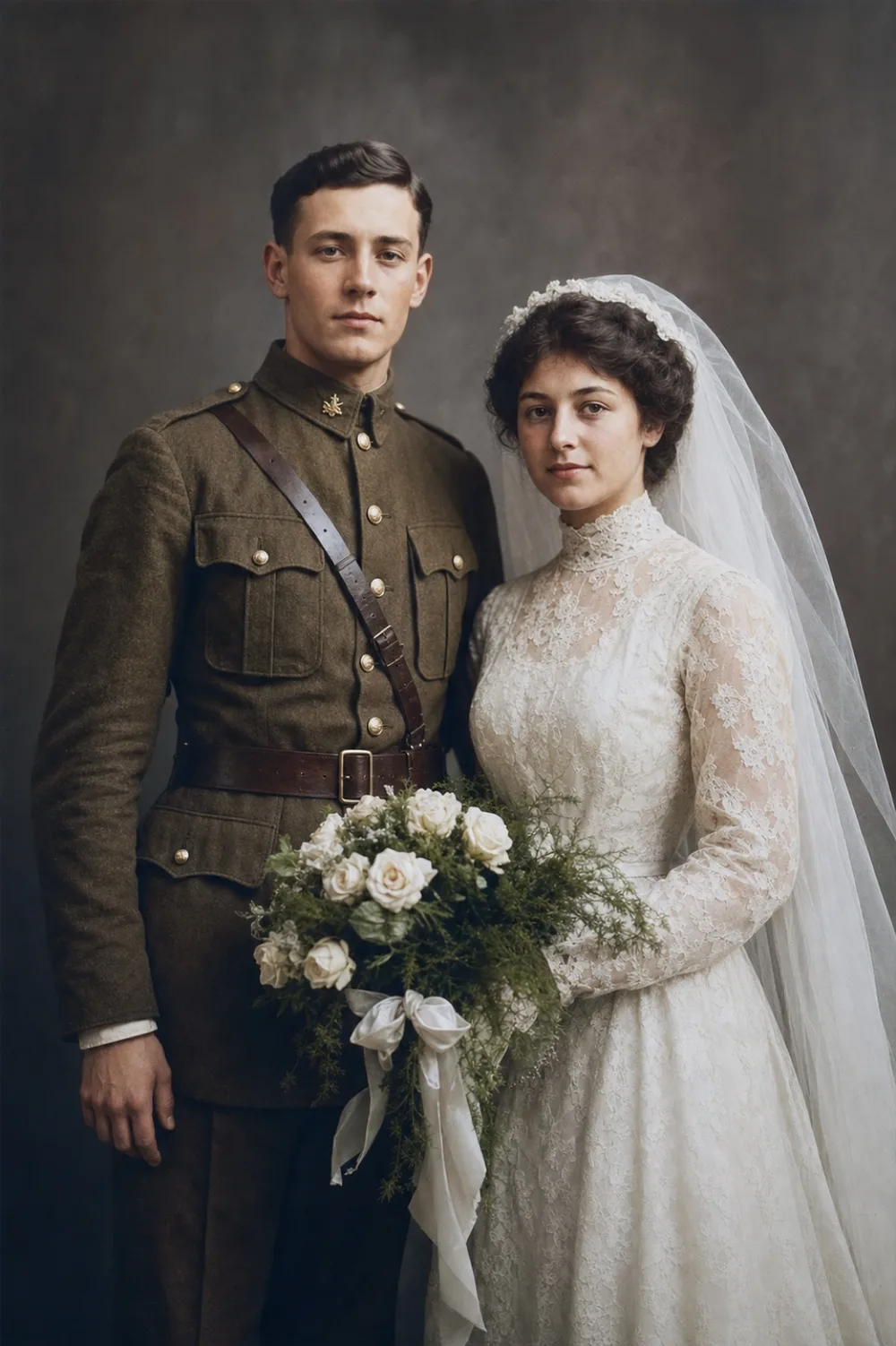
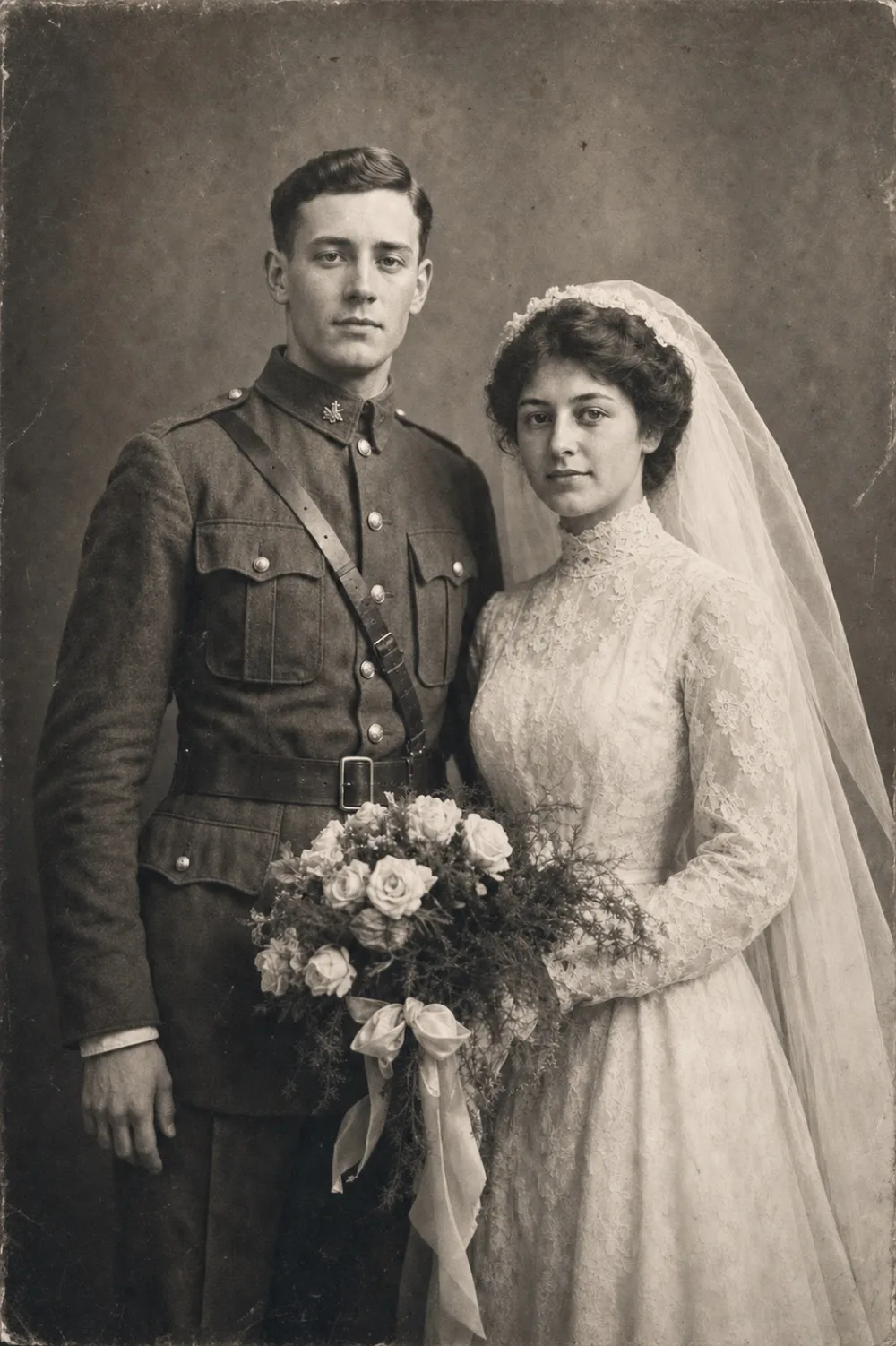
Key takeaways
- Colorizing doesn't erase the black-and-white original — keeping both versions is common and often the smartest approach.
- AI colorization is a plausible estimate, not a factual record; skin tones and skies tend to be more reliable than a specific dress or wallpaper color.
- Black-and-white photos carry a formal, slightly distanced quality that colorizing removes — worth knowing before you decide.
- For archival or documentary purposes, keep the black-and-white version; for sharing, gifting, or connecting family to the person in the photo, colorize.
There's no single right answer to black and white vs colorized photos — the better choice depends on what the picture means to you, not a rule about historical correctness. A black-and-white portrait can feel dignified and permanent, holding on to the exact grain of the print someone kept in a drawer for sixty years. A colorized version of the same portrait can feel suddenly present-tense, putting a color to the blue of someone's eyes or the pattern in a dress you'd otherwise have to imagine.
The good news is you rarely have to pick one and lose the other. Digitizing an old photo lets you keep the original grayscale scan untouched while producing a second, colorized copy alongside it, so the question becomes less about which to throw away and more about which one you reach for today. This guide walks through what actually changes when color is added, how accurate that color really is, and when each version serves your family better.
What Actually Changes When You Colorize a Photo
Colorizing doesn't recover color that was somehow hidden in the original print — black-and-white film and paper never captured hue in the first place. Instead, an AI model looks at the grayscale image, recognizes what it's seeing (a face, a sky, grass, a wool coat), and assigns colors based on patterns it has learned from a huge range of real color photographs and knowledge of period-appropriate palettes, like the dyes and fabrics common in a given decade.
Everything else about the photo stays exactly as it was. The grain, the folds in the paper, the exact tilt of someone's head, even the scratches and stains if you haven't restored them yet, all remain untouched. Only the hue and saturation are new. That's an important distinction from restoration, which repairs physical damage — colorizing is a separate layer added on top, not a fix to the underlying photograph.
Why Black and White Carries Its Own Emotional Weight
Stripping out color forces the eye toward light, shadow, and gesture instead of surface detail. That's part of why black-and-white portraiture became associated with formality and seriousness in the first place — studio photographers of the early and mid-1900s used it deliberately, and generations of family archives inherited that visual language along with the technology that produced it.
There's also a quieter effect: black and white subtly signals 'the past.' It can make a great-grandparent feel iconic and a little removed, more like a figure in history than a person you could have shared a kitchen table with. Colorizing narrows that distance. Neither effect is wrong — some photos benefit from staying a little formal and archival, while others gain warmth the moment they look like they could have been taken last week.
How Accurate Is a Colorized Photo, Really?
For most old photographs, there's no record of the true color left to check against, so colorization is an informed estimate, not a measurement. Skin tones tend to come out fairly reliable because human skin falls within a fairly narrow, well-understood range, and the same is true for skies, grass, and common wood tones. A specific dress, a wallpaper pattern, or a car's paint color is a different story — those are genuine guesses based on what was statistically common at the time.
Some details land more confidently than others. Military uniforms are a good example: many had standardized, documented colors for a given branch and era, so a colorization tool has real information to work from. A hand-tied ribbon or a one-of-a-kind piece of fabric doesn't have that anchor. If a specific color matters to you — say, you know for certain your grandfather's eyes were green — it's worth checking the colorized result against what you actually know, and treating the tool's output as a natural-looking possibility rather than a certified fact.
When the Original Black-and-White Version Is the Better Choice
Some photos are better left as they are. If a picture is part of a documented historical or genealogical record where factual accuracy matters, such as identifying a specific uniform or insignia, the black-and-white original is the safer reference. If you already love the tonal quality of a well-exposed vintage print, adding color can compete with, rather than complement, what made the photo striking in the first place.
There's also a simple practical reason: archival caution. Keeping the untouched scan as your reference copy means you're never relying on a guess as your only record.
- Photos tied to genealogical or military records where specific colors need to be verifiable
- Fine-art or studio prints where the tonal contrast is the point
- Images you plan to display specifically as vintage or period pieces
- Any photo where you'd rather not risk a confident-looking but incorrect color
When Colorizing Brings a Photo to Life
Color changes how people relate to a face. Younger relatives who never met an ancestor often connect with a colorized portrait more instinctively than a black-and-white one — it reads less like an artifact and more like a relative. That makes colorizing especially useful for reunions, gifts, digital photo frames, or simply sharing a photo in a family group chat where you want it to land emotionally, not just historically.
In practice, most people end up keeping both. The black-and-white scan stays as the quiet, permanent archive; the colorized version is what gets printed for a gift, framed in a living room, or posted for the family to see. Running a damaged print through OldtoLife's Restore tool first, then Colorize, is a common combination — repair the damage, then decide separately whether color helps the photo do what you want it to do.
Step by step
- 1
Scan or photograph the original
Capture the print at the highest quality you can manage, in even light, flat against a surface, with no glare or shadow across the face.
- 2
Restore damage before adding color
If the print has tears, spots, creases, or fading, run it through Restore first — colorizing a damaged scan just adds color to the damage along with everything else.
- 3
Colorize and compare on the slider
Use OldtoLife's Colorize tool and drag the before/after slider to check faces, skin tones, and any detail you already know for certain.
- 4
Save both versions
Keep the restored black-and-white copy as your archival reference and the colorized copy for sharing, printing, or gifting.
- 5
Check with family before finalizing
For photos of people still remembered by relatives, a quick second opinion on eye color, hair color, or clothing can catch anything the AI guessed differently than reality.