Restore Old Family Photos
The family photos in a shoebox are often the only images you have of the people who came before you. OldtoLife helps you repair and revive them before they fade any further.
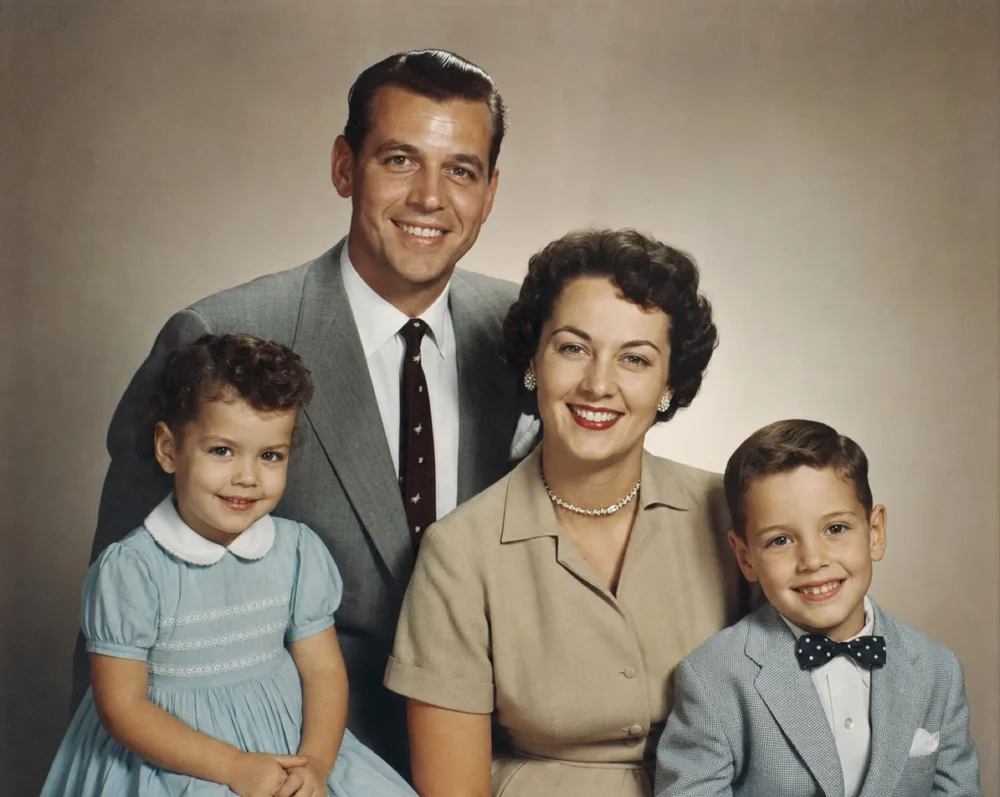
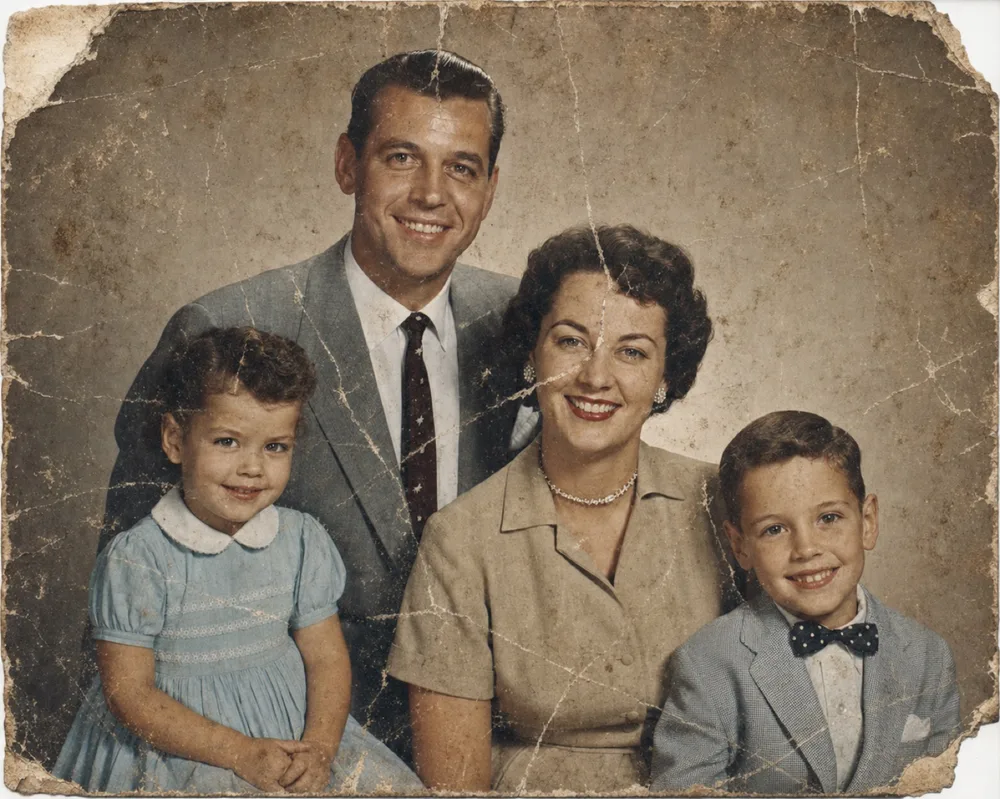
Drag to compare before & after
Family photographs carry more weight than almost anything else we keep. A single faded print might be the only picture of a great-grandparent, a childhood home, or a wedding day. Yet these are exactly the photos that suffer most — handled often, stored in attics, and printed on paper that yellows and cracks.
OldtoLife is built to give those photos a second life. Whether a picture is scratched, torn, faded, or trapped in black and white, the app can repair the damage and hand you back a clear, shareable copy in seconds.
Why family photos deserve restoration
Every year, more of these prints degrade past the point of recognition. Restoring them now — and saving a digital copy — protects them from further loss and makes them easy to share across the whole family.
A restored photo also changes how it feels to look at it. When scratches and fading disappear, the person in the picture comes forward again, and the distance that time put between you shrinks.
What OldtoLife can revive
Most family collections contain a mix of problems, and OldtoLife has a tool for each one.
- Faded and yellowed prints — brought back with balanced contrast and color
- Scratches, tears, and creases — repaired with the Restore tool
- Black-and-white portraits — colorized with natural, period-accurate tones
- Blurry or low-resolution scans — sharpened with Enhance
- Dark, underexposed photos — corrected with Brighten
A simple workflow for a whole shoebox
You don't have to restore everything at once. Start with the photos that matter most — the ones you'd be heartbroken to lose. Photograph or scan each print, run it through Restore, and add Colorize or Enhance where it helps.
Because each restoration takes only seconds, it's realistic to work through an entire box over a few evenings and end up with a clean digital archive you can back up and share.
Step by step
- 1
Digitize the print
Photograph or scan each family photo. Lay it flat, use even light, and avoid glare.
- 2
Restore the damage
Open the photo in OldtoLife and tap Restore to remove scratches, stains, and tears.
- 3
Add color or sharpen
For black-and-white photos, use Colorize. For blurry faces, use Enhance.
- 4
Save and share with family
Download the HD result and share it in your family group so everyone has a copy.
Common questions
Can I restore a photo that's only a phone snapshot of an old print?
Yes. A clear phone photo of a print works well. Lay the print flat, light it evenly, and avoid glare for the best result.
My grandparents' photo is black and white. Can I add color?
Yes. Restore the damage first, then use the Colorize tool to add natural, period-accurate color.
Is it safe to upload precious family photos?
Your photos are processed only to return your result and are not sold or used to train unrelated models. See our Privacy Policy for detail.
How many family photos can I restore?
You can try it for free. A Premium subscription removes daily limits so you can work through an entire collection.
Still have a question? Email us
Tools & guides for this
Restore Old Photos with AI
Erase scratches, stains, creases, and tears from old prints. OldtoLife rebuilds the damaged areas of a photo so a worn picture looks whole again — in about ten seconds.
Colorize Black and White Photos with AI
Add natural, period-accurate color to black-and-white and sepia photos in about ten seconds — no manual painting, no guesswork, just a believable result you can compare side by side with the original.
Enhance Photo Quality: Sharpen Blurry Faces & Boost Resolution
Turn soft, blurry, low-resolution photos into sharp, detailed images — Enhance recovers the fine detail old cameras and scans lost, without changing the photo's original color or character.
Restore Ancestor Photos for Your Family Tree
The one surviving photo of a great-great-grandparent is often faded, torn, or missing a corner — restoring it turns a fragile keepsake into a clear portrait you can attach to your family tree and pass down.
How to Restore Old Photos (Step-by-Step Guide)
A practical, no-jargon walkthrough for reviving old and damaged photographs with AI — from digitizing the print to sharing a clean, high-resolution result.
How to Digitize Old Family Photos (Without Losing Quality)
Digitizing your family's old prints protects them from fading, damage, and loss, and turns a shoebox of photos into files you can search, share, and restore in seconds.
Your memories deserve to be seen clearly
Download OldtoLife and restore your first photo in seconds. Every tool is free to try — no account needed.