Gift Ideas Using Restored Family Photos
A faded, damaged photo doesn't feel like a gift as-is — but restored, colorized, and printed well, the same image can become the most personal present in the room.
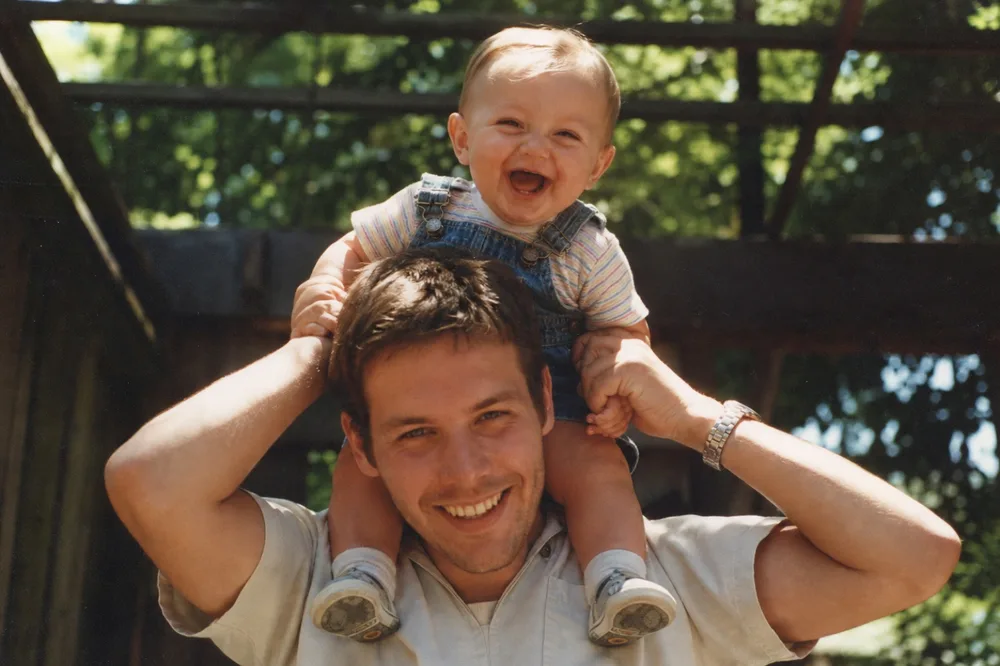
Key takeaways
- Restore, brighten, and enhance a photo before choosing a gift format — the prep work is what makes a print or keepsake look intentional instead of like a rough old scan.
- Match the format to the occasion: framed prints and canvases for milestones, photo books for a life story, small keepsakes for a specific relationship, and slideshows for reunions or memorials.
- The Merge tool can combine two or more restored photos into one frame, which works well for "generations together" gifts like a grandparent-and-grandchild portrait.
- Start at least two to three weeks before the occasion to leave time for choosing a format, ordering, and shipping.
The best gift ideas using restored family photos share one thing in common: a photo that once looked damaged, faded, or forgotten is repaired first, then turned into something the recipient can keep, hang, or hold for years. A scratched, dim print handed over as-is rarely reads as a gift — it reads as an old photo. The same image, cleaned up and printed clearly, becomes a framed portrait, a photo book, a keepsake ornament, or a slideshow that actually gets watched.
This guide covers the formats worth considering, which occasions each one suits, and how to prepare the photo itself so the final product looks intentional rather than like a rough scan. Along the way, it points out which restoration step matters for which gift — a locket needs different prep than a large canvas print.
Start With a Photo Worth Giving
Not every old photo makes a good gift base. Look for one with real emotional weight — a wedding day, a parent as a child, grandparents as young adults, a photo from a place that no longer exists — and enough surviving detail to be worth saving. A photo where a face is partially visible, even under scratches or fading, is usually far more workable than one where features are entirely torn away or washed out.
Once you've picked a candidate, restore it before you decide on a format. Run it through Restore to lift out scratches, stains, tape marks, and creases, then Brighten if it's dark or unevenly exposed, and Enhance if the faces look soft or the file is too low-resolution for the print size you have in mind. If it's black-and-white or sepia and the recipient would appreciate seeing it in color, Colorize can add natural, period-appropriate tone — though it's worth keeping the original monochrome version too, since not everyone wants the color version.
If the photo is badly torn or has large missing sections — a common problem with old portraits that were folded or stored loose in a drawer — Recreate can rebuild the missing areas so the image reads as a complete portrait again, which matters more for a framed gift than for a casual snapshot.
Framed Prints and Canvas Art
A single framed print is still one of the safest, most versatile restored-photo gifts. It suits milestone anniversaries, someone moving into a new home, a retirement, or simply a birthday for a parent or grandparent who'd rather have a photo on the wall than another object on a shelf. Choose a photo with a clean, simple composition — one or two clear subjects read better at a larger size than a crowded group shot with a lot of background clutter.
Print size depends on how much detail survived the restoration. A small original snapshot enhanced for resolution might hold up fine at 8x10, but pushing it to a 16x20 canvas can reveal softness that wasn't visible on screen. Order one test print at the target size before committing to an expensive canvas wrap or a custom frame — it's a cheap way to catch problems early.
For matting and framing, a simple mat and a plain frame usually age better than an ornate one, especially for portraits from the mid-20th century or earlier, where the photo itself should be the focal point.
Photo Books and Calendars That Tell a Story
A photo book works well when you have several restored images that tell a sequence rather than a single moment — a grandparent's life from childhood through their wedding, a family's history in a house they've since sold, or a decade of holiday gatherings. Sequencing the photos chronologically and adding a caption with names, locations, and approximate dates turns loose pictures into a narrative someone will actually read, not just flip through once.
This format is a strong fit for milestone birthdays like an 80th or 90th, family reunions where the book can be handed around the table, or as a joint gift from several siblings who each contribute photos from their own collections. If some of those contributed photos are individual portraits taken years apart, the Merge tool can combine them into a single spread — for example, placing a grandparent's engagement photo next to a recent picture of the same couple on the page that marks their anniversary.
Custom calendars follow the same logic on a smaller scale: twelve restored photos, one per month, work especially well as a gift for someone who already has plenty of framed prints and would rather see a rotating set through the year.
Personalized Keepsakes: Ornaments, Lockets, Blankets, and Mugs
Small personalized items — ornaments, photo blankets, mugs, lockets — ask more of the source image than a large print does, because there's less room for error at a small size. A single clear subject against a plain or softly blurred background works far better than a busy scene; faces that were sharpened with Enhance hold up much better when printed at locket or mug scale than a soft, low-resolution original would.
These items suit specific, personal occasions rather than general ones: a photo blanket with a late grandparent's portrait for a first Christmas without them, an ornament with a parent's childhood photo for a milestone birthday, a locket with a mother-and-daughter photo for a wedding. The smaller and more intimate the item, the more it benefits from being tied to a specific relationship rather than a generic "family photo."
For a "generations together" version of this idea, Merge can combine an older restored portrait with a current photo of a grandchild or great-grandchild side by side in one frame — a format that works particularly well on a mug, ornament, or small canvas where the pairing itself is the point of the gift.
Digital Slideshows and Shared Albums for Reunions and Memorials
Not every restored-photo gift needs to be physical. A slideshow of restored photos, set to run at a reunion, a milestone birthday party, or a memorial gathering, often gets more attention in the moment than a printed item that goes home in a bag. Because each photo has already been cleaned up individually, the slideshow reads as polished rather than like a folder of old scans thrown together at the last minute.
For a memorial specifically, restraint matters more than volume — a shorter set of well-chosen, well-restored photos of the person, shown quietly without music that competes with conversation, tends to land better than an exhaustive life-in-photos reel. Check with close family on timing and tone before finalizing anything for that kind of event.
A shared digital album is the lowest-effort version of this gift: restore a batch of family photos, then send them to a group chat or shared album the whole family can access. It costs nothing to print or ship, and it means everyone gets their own copy rather than one person holding the only framed original.
Step by step
- 1
Choose a photo with emotional weight and visible detail
Pick an image tied to a specific memory or relationship, where at least part of the subject's face or key detail has survived damage or fading.
- 2
Restore, brighten, and enhance it
Use Restore to remove scratches and stains, Brighten to fix dark or uneven exposure, and Enhance to sharpen faces and raise the resolution for printing.
- 3
Decide whether to colorize, merge, or keep it as-is
Add natural color with Colorize if it suits the recipient, or combine two or more photos into one frame with Merge for a generations-together gift.
- 4
Pick the gift format and order with time to spare
Match the format to the occasion — a framed print or canvas for a milestone, a photo book for a life story, a keepsake for something personal — and order at least two to three weeks ahead.
- 5
Add context when you give it
Write down names, the date, and the story behind the photo on the back of a print or the first page of a book, since that detail is often what makes the gift last.